Changelog
Android 1.5.3: Drop rigs (February 19, 2026)
This release adds tracking for unattended drop rig recordings. A take has two toggles:
- Drop Rig marks the take as recorded with a drop rig.
- Currently Dropped appears once Drop Rig is on, and means the rig is still out. The start time is when you deployed it, and switching the toggle off sets the stop time to when you picked it up.
It works per take, so you don’t need a kit set up. Dropped rigs get orange cards in the take list, orange map pins instead of green, and a Time Dropped counter (like “2d 5h”) on the take details. The colors contrast in light and dark mode, so if you’ve spread rigs over a wide area it’s quick to see where to go back for them.
Dropped rigs don’t stick to the top of the list; takes stay in chronological order. If you feel strongly about that either way, please reach out.
Also in 1.5.3:
- Tags can include spaces. Only commas separate them, so “ambient morning” or “why did i wake up this early” is one tag.
- Long tag lists wrap onto new lines in take cards instead of running off the edge of the screen.
- Opening a take to edit no longer flashes “Take not found” first. It shows a short loading pulse, and only says the take is missing once it has checked.
- Take details opened from a map pin have an Edit button, so you can fix metadata without going back to the list.
Android 1.5.2: Take creation fixes (January 19, 2026)
- New takes default to the track count, sample rate, and bit depth you used last. It was always meant to work this way, but it broke somewhere along the line.
- Dependency and Gradle updates.
Android 1.5.1: Map improvements (December 22, 2025)
The Android maps were a bit subpar, since I mostly use maps in the web app.
- Maps use the whole screen in landscape.
- Rotating the phone keeps your position and zoom, and the controls resize to fit the screen.
- Floating close buttons replace the headers, and on small landscape screens the instructions hide to give the map more room.
- Recording locations use teardrop markers like the web app’s (they still need some tuning).
- Fixed new takes sometimes losing field values like location, weather, kit, and tags. The dialog now keeps everything until you save. I introduced this bug with the 1.5.0 typing fix.
Android 1.5.0: Faster typing (December 2, 2025)
I found most of these problems using the app in the field on a trip to Japan.
- Typing no longer lags or scrambles characters (“creek ambience” coming out as “crek ambeince”). Text shows up as you type, and the app saves shortly after you stop.
- Predictive text, autocorrect, and multi-language keyboards work the way they do in other Android apps.
- Editing a field only updates that field, which makes the take editor smoother.
- Over 20 libraries updated (Jetpack Compose, Room, Coroutines, Retrofit/OkHttp, WorkManager, Navigation), and the build moved from KAPT to KSP. The app is smaller and easier on the battery.
- Requires Android 8.0 (API 26) or later.
Web app: Offline use and kit reordering (September 13, 2025)
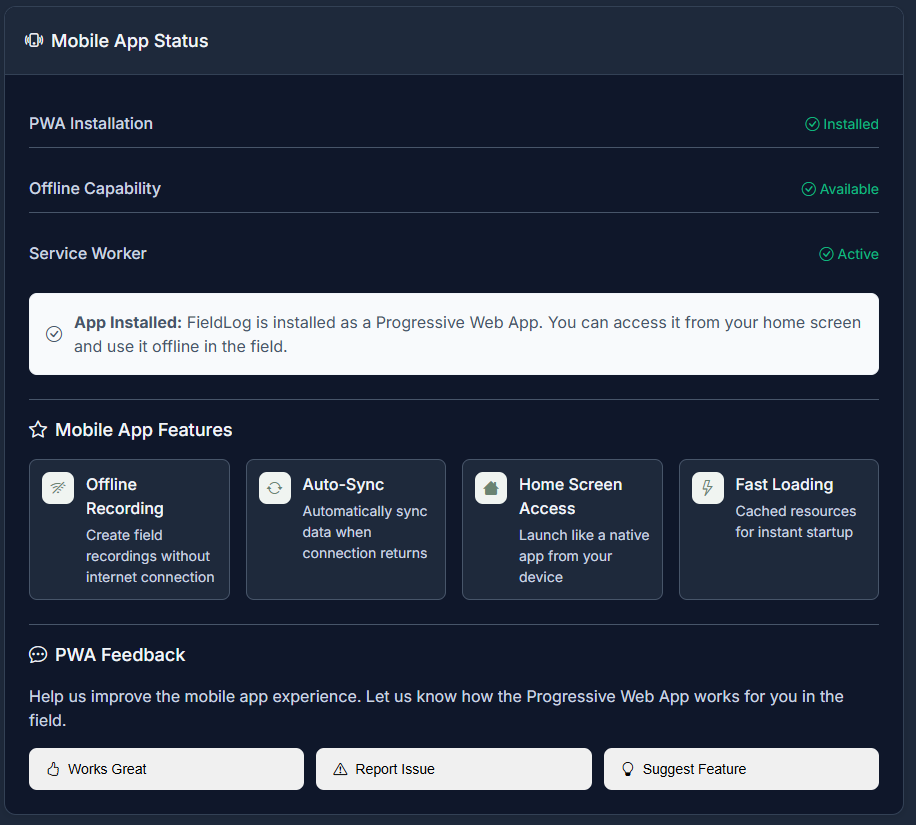
- You can install FieldLog.net on your phone as a web app and log takes offline, without the native app. More in Use FieldLog Offline.
- Kits can be reordered, and reordering recorders and mics works again.
- Basic stats on how much you’ve been recording lately.
Android 1.4.6 and web app: Gear photos (September 6, 2025)
- Android 1.4.6 lets you pick an existing photo for gear (mics, recorders, kits) instead of only taking a new one, and gear photos sync.
- In the web app, gear items show thumbnails and you can delete a gear photo.
- This blog went up the same week as FieldLog’s soft launch.
