FieldLog.net Version 2: A new look for your field recording journal
FieldLog.net Version 2 brings a fresh field-journal design, cameras and camera traps, photo metadata, and website sync to your recording workflow.
FieldLog.net Version 2 is here!
The app has a whole new look, cameras have joined the gear bag, and the connection between your field notes and the website is ready to put to work. There is quite a bit to catch up on.
When I wrote about the iOS release, connecting the mobile apps to the web portal was one of the things I wanted to tackle next. Version 2 brings that together with a much more complete way to document a session, from the microphones plugged into your recorder to the camera sitting beside it.
A fresh page in the field journal
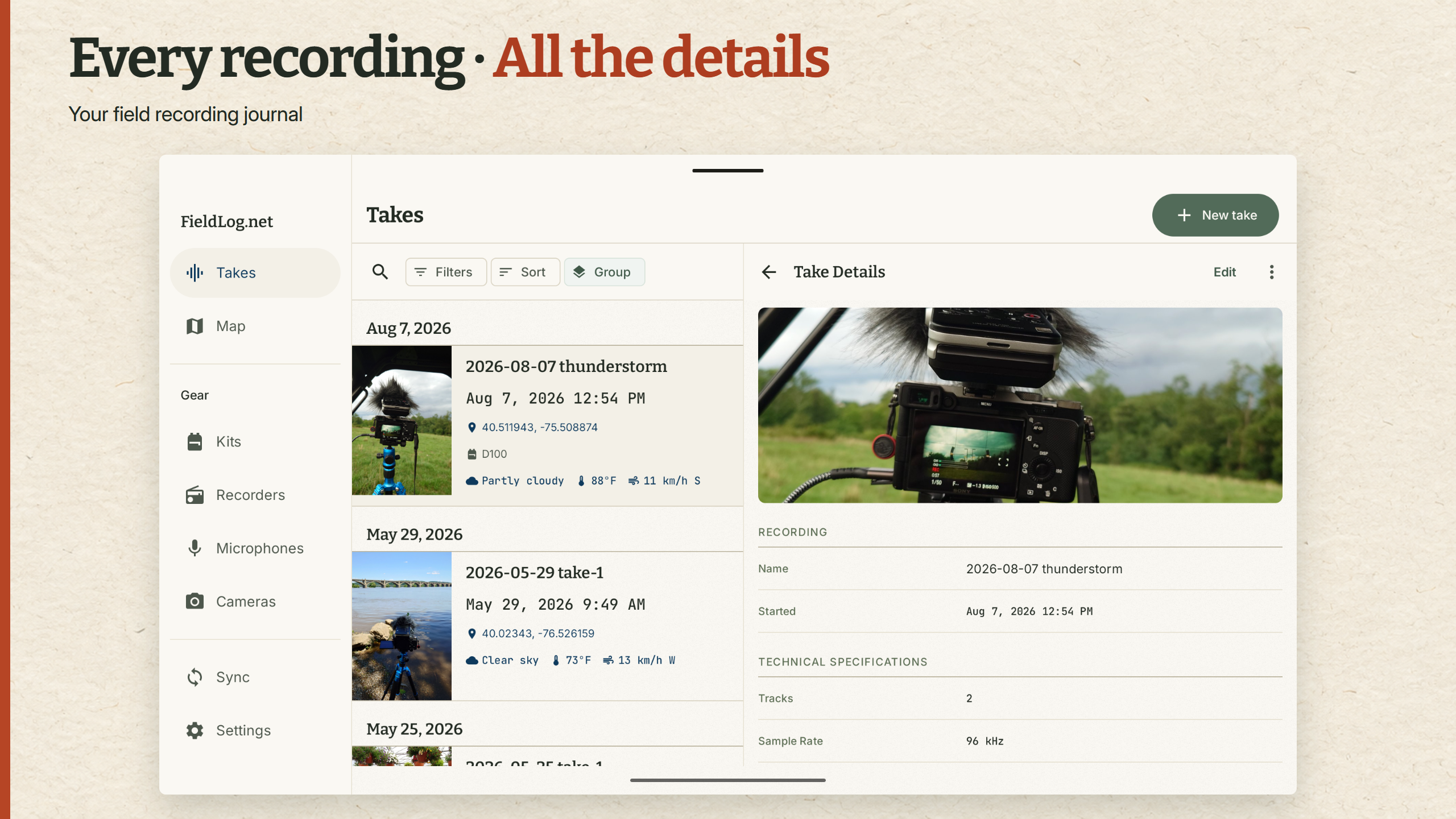
The first thing you’ll notice is the redesign. Warm paper tones, clearer type, and a little more room to breathe give FieldLog.net something hopefully more akin to opening up an actual notebook in the field.
The new look carries across the mobile apps and website. On a tablet, the extra space makes things even more cushy: you can browse your takes with the selected recording open alongside them. Or interact with maps and takes at the same time. It is a lovely way to revisit a trip, especially once there are a few photographs in the journal.
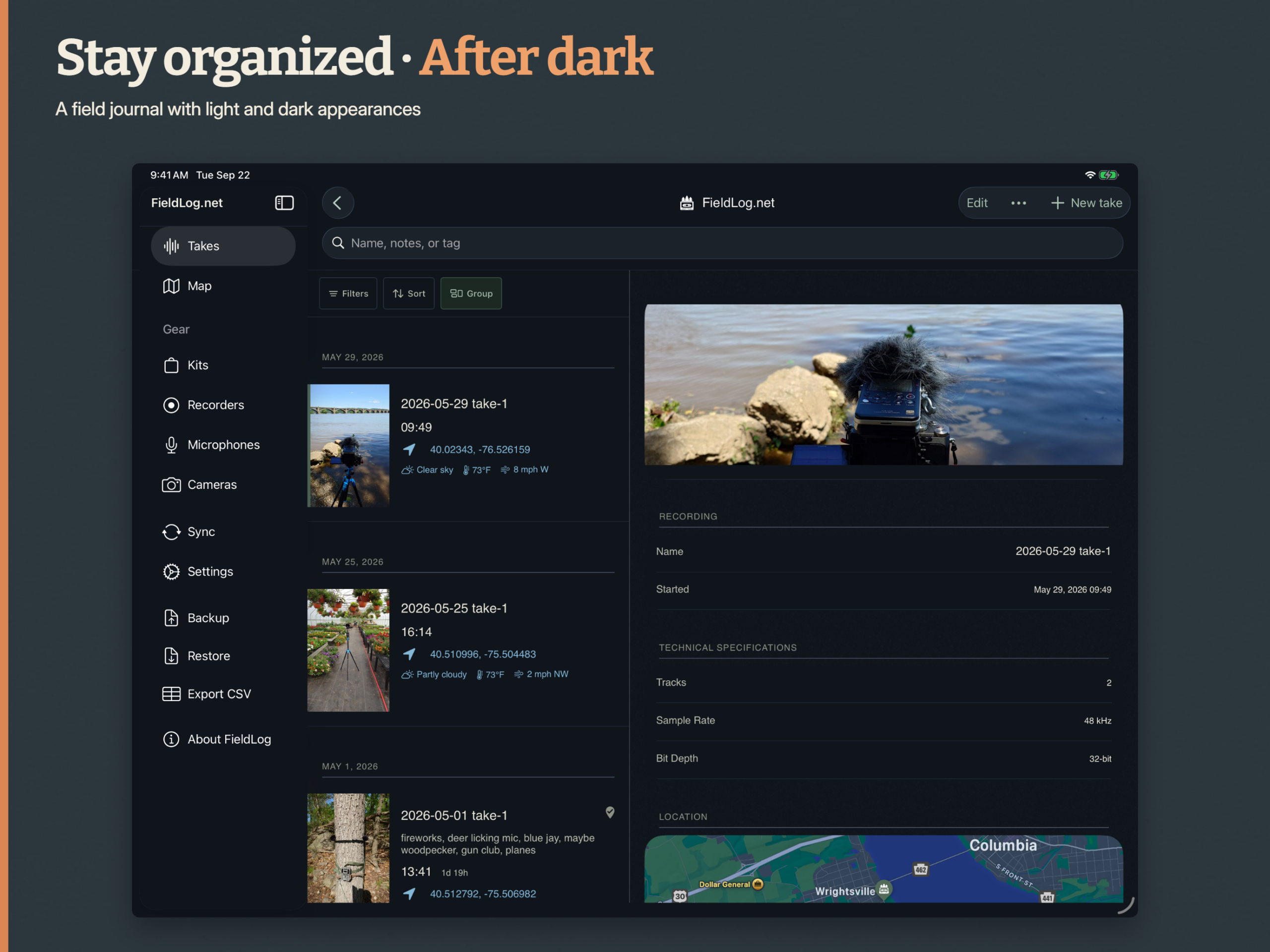
Dark mode gets the same attention. Whether you’re waiting for the dawn chorus or sorting through notes after everyone else has gone to bed, there is a darker version of the journal ready for you and your OLED screen.
Cameras belong in the kit too
A recording setup often has a camera somewhere in it. Maybe you’re filming the scene, taking reference photographs, or leaving a trail camera near an unattended recorder to see who and what your microphones caught.
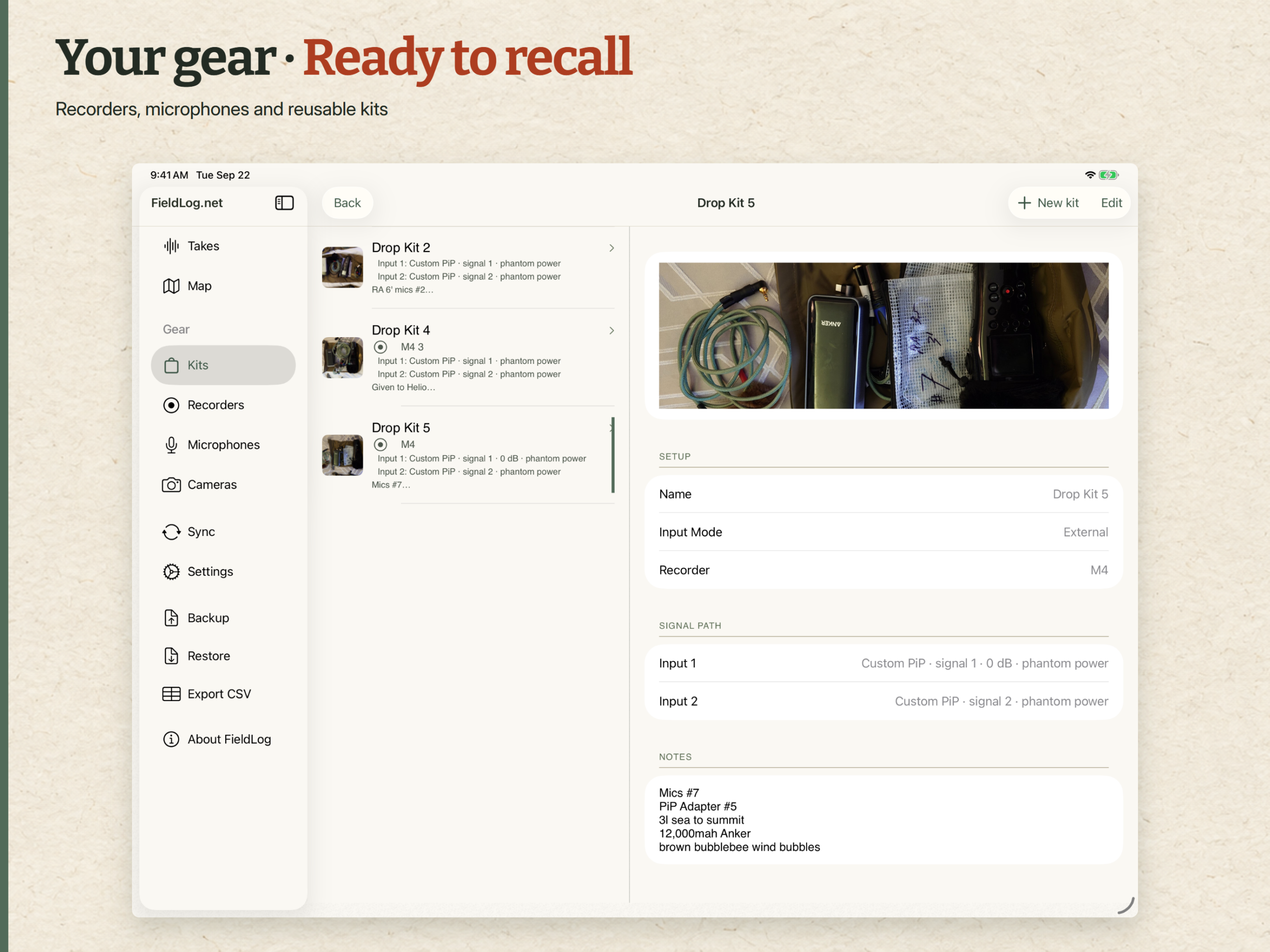
You can now keep cameras in your gear inventory alongside recorders and microphones, and include a camera in a reusable kit. Conventional cameras and triggered cameras, including camera traps, have a place in the same system. Give each one a name, keep its equipment details and a photograph, and associate it with the setup you actually took into the field.
You don’t even technically need audio gear in a kit. If you’re a camera trapper, and you just want to mark where you have things dropped and retrieved? Go for it! Makes battery management a lot more straightforward.
Let the photograph do some of the paperwork
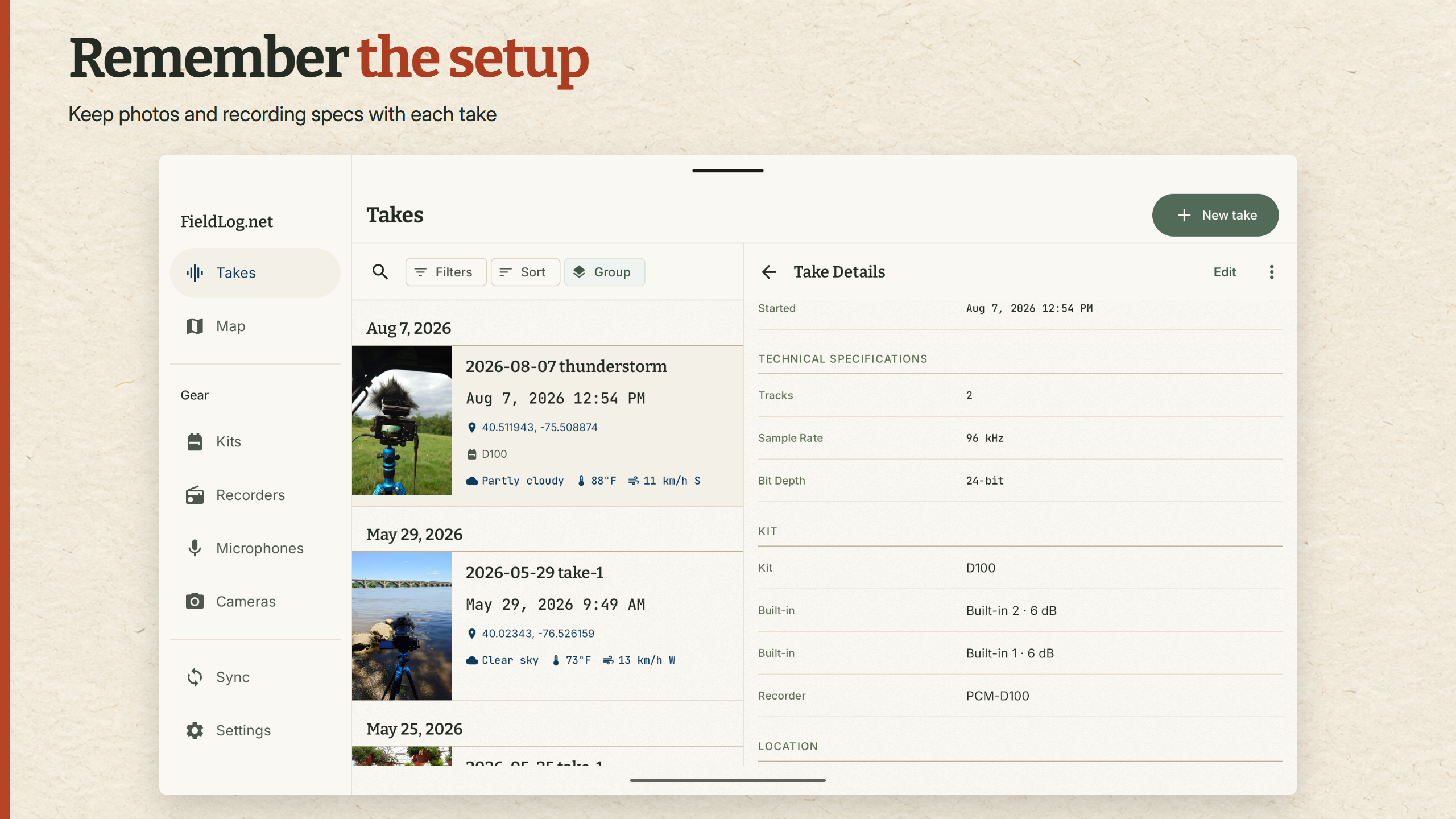
Thanks to all the features in modern phones, a quick photograph of a rig can tell you a surprising amount later. Microphone placement, wind protection, the view from the tripod, even which direction everything was pointing. Now it can help fill in the log as well.
When you choose a photograph from your library, FieldLog.net can read the time and GPS coordinates stored in its EXIF data and offer them for the take. Choose the details you want to use, confirm the camera’s timezone when needed, and carry on.
This is particularly handy when you’re catching up on notes after a busy day. The photograph you remembered to take can help recover the when and where that you didn’t want to open this app right away. It works just as well if you have a GPS-enabled camera too!
From your pocket to the website
Log the session on your phone, then open FieldLog.net when you’re back in the studio. Website sync brings your takes, gear, kits, and their photographs between the mobile app and your account on the web.
That makes the division of labor even more clear. The phone is there when you need to grab a location or add a quick note (and will happily work without any connection.) The website gives you room to work through the journal afterwards, while the recordings are in front of you and you can finally remember what you meant by “tree ears.”
Remember where you left it
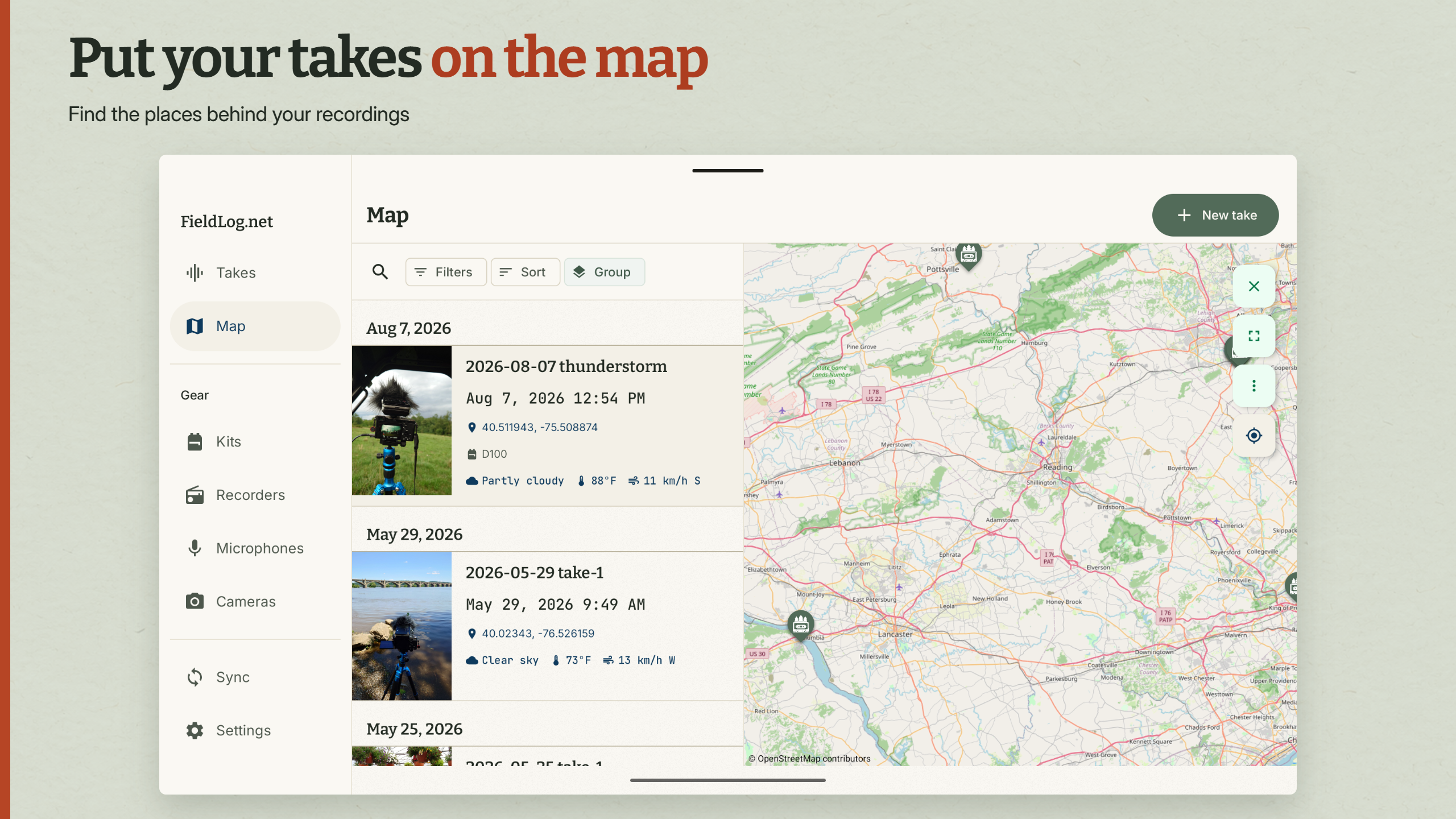
The map brings your recording locations together, so you can follow a trip through the sounds you stopped to collect. A riverside recording, a market, and a forest at dawn are much easier to place when you can see where they happened.
For unattended recording, drop-rig tracking keeps track of which rigs are still out and how long they’ve been deployed. Mark a rig as retrieved when you collect it, with the option to finish the recording at the same time. A little less mental bookkeeping when you’ve left equipment in several different places.
Even more detail oriented
There is more room for the specifics of your setup, too. Kits can describe built-in microphones, external inputs, or a combination of both, with microphone signals assigned to recorder channels. Set your usual gain in the kit, then record a different gain on an individual take when the session calls for it.
Alongside that are the familiar parts of the journal: recording times and formats, weather, setup photographs, your own tags, and Universal Category System labels. Search, filters, sorting, and grouping help you get back to the right take as the collection grows. CSV export and library backups are there when it’s time to bring the records into the rest of your workflow.
Take Version 2 out for a trip
I’m excited to get this one into your hands. The new design makes FieldLog.net a much nicer place to spend time, and the camera, photo metadata, and sync features give you more ways to keep the story of a session together.
Find FieldLog.net on Android, iPhone and iPad, and the web. Take it along on your next recording trip, and let me know how it goes. I’d love to hear what you’re recording, what works for you, and what would make the next outing easier. If you encounter any bugs or have feature requests, feel free to shoot me an email, leave a comment here, join the subreddit/discord, or all of the above!